설정
설정
 빠른 배송
빠른 배송
 무료 배송
무료 배송
 Incoterms
 결제 유형
결제 유형


 Marketplace 제품


NeoPixel LED 제어용 서보 개발 기판 사용
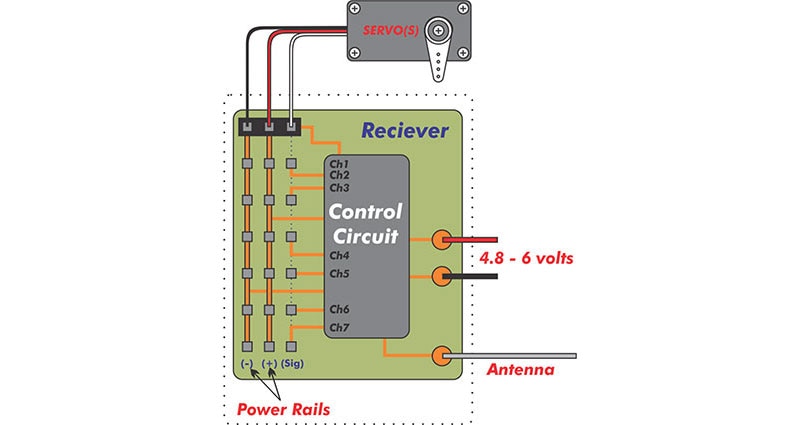
Kitronik Simply Servos 기판(그림 1)은 프로젝트에 여러 개의 서보를 사용할 경우 적절한 3V ~ 12V 전력 레일을 제공하는 문제를 해결합니다. 내장된 3V 전력 조정 및 핀 헤더는 서보를 작동하기 위해 Raspberry Pi Pico를 추가할 수 있는 빠른 방법을 제공합니다. 하지만 3선 리드를 사용하고 5V 전력을 필요로 하며 전류 소비가 클 수 있는 다른 장치의 경우에는 어떨까요? Adafruit의 NeoPixel LED 스트립처럼 말이죠!
 그림 1: Kitronik Simply Servo 기판. (이미지 출처: Kitronik)
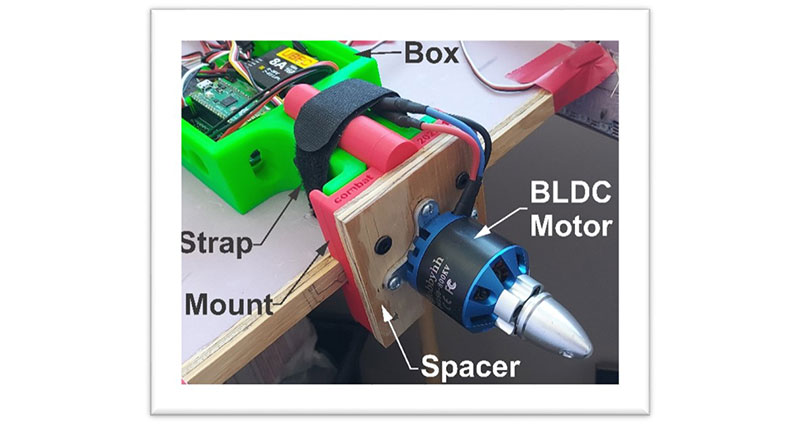
최근, 제 R/C 전투기 중 하나로 야간 비행체를 만들어 보겠다는 생각을 했습니다. 거의 모든 마이크로 컨트롤러를 투입하고 NeoPixel 스트립을 전원 공급 장치에 연결하는 방법을 찾을 수 있지만, 서보 리드를 사용하여 신속하게 처리하고 손쉽게 작동할 수 있다면 어떨까요? Simply Servos 기판은 단순히 서보만을 위한 것이 아닙니다. 이 플랫폼을 선택함으로써 이 프로젝트가 간소화되었고 맞춤형 배선 및 여러 개의 커넥터 에 대한 필요성을 최소화할 수 있었습니다.
비행 플랫폼에 대한 자세한 내용과 전투기를 변환하는 과정에 대한 동영상은 이 기사의 끝 부분에 있는 블로그 및 동영상 링크를 통해 확인할 수 있습니다. Arduino IDE는 R/C 송신기에서의 입력에 따라 NeoPixel을 실행하도록 Pico를 프로그래밍하는 데 사용되었습니다. 제 계획은 스로틀이 증가하면 더 빠르게 추격하는 비행기 본체 측면의 마키 기능을 사용하는 것입니다. 저녁에 더 어두워지면 Neopixel은 과도한 휘도로 인해 눈에 피로를 줄 수 있습니다. LED의 광도를 낮추기 위해 보조 채널이 사용됩니다. 마지막으로, 어둠속에서 비행기를 착륙시킬 경우 착륙등이 유용할 수 있습니다. 다른 채널을 추가하는 대신, 스로틀이 착륙 속도보다 낮거나 같을 경우 하단 NeoPixel이 밝은 흰색으로 바뀝니다. 저는 기본 프로그래밍을 사용했지만 개선할 여지가 있거나 추가 기능을 탐색해야 합니다.
복사Arduino IDE Code:

//Rx throttle as LED speed control. Rx Aux 2 as dimmer. Channels 1 and 2 as inputs on Simply Servos.
//Remaining servo ports on board (channels 3-8, pins 4-9) used as NeoPixel outputs.
#include <neopixelconnect.h>

//Number of NeoPixels in each string
#define FIN_LEN 34  //Number of NeoPixels on each fin
#define BOT_LEN 28  //Number of NeoPixels on each bottom skid
#define AUX_LEN 61  //Number of NeoPixels on each auxiliary location
#define THRESH 60   //Landing versus flight throttle threshold

//Rx channel Pico GPIO inputs
#define THROT 2
#define AUX2 3

// Create an instance of NeoPixelConnect and initialize it for each strand of NeoPixels
// (pin, number of pixels in string, programmable IO location (0 or 1), programmable IO state machine usage (0-3))
NeoPixelConnect R_Aux(4, AUX_LEN, pio0, 0);
NeoPixelConnect L_Aux(5, AUX_LEN, pio1, 0);
NeoPixelConnect R_Bot(6, BOT_LEN, pio0, 1);
NeoPixelConnect L_Bot(7, BOT_LEN, pio1, 1);
NeoPixelConnect R_Fin(8, FIN_LEN, pio0, 2);
NeoPixelConnect L_Fin(9, FIN_LEN, pio1, 2);

uint8_t AuxSingLED;  //Single LED variable on auxiliary string

//Function - Get intensity level from Rx Aux2 output
uint8_t get_pixel_intensity() {
  return map(pulseIn(AUX2, HIGH), 900, 2200, 0, 255);
}

//Function - Get speed level from Rx Throttle output
uint8_t get_pixel_speed() {
  return map(pulseIn(THROT, HIGH), 990, 1902, 100, 0);
}

void setup() {
  pinMode(THROT, INPUT);  //Set Pico GPIO pin 2 as input
  pinMode(AUX2, INPUT);   //Set Pico GPIO pin 3 as input
}

void loop() {
  uint8_t LEDInten = get_pixel_intensity();  //Get NeoPixel intensity value
  uint8_t LEDSpeed = get_pixel_speed();      //Get NeoPixel speed value
  if (LEDSpeed < 10) LEDSpeed = 0;           //Dampen lower speed limit

  if (LEDSpeed < THRESH) {                                   //Throttle high color
    R_Bot.neoPixelFill(LEDInten, 0, 0, true);                //Fill string with red
    L_Bot.neoPixelFill(LEDInten, 0, 0, true);                //Fill string with red
  } else {                                                   //Throttle low color
    R_Bot.neoPixelFill(LEDInten, LEDInten, LEDInten, true);  //Fill string with white
    L_Bot.neoPixelFill(LEDInten, LEDInten, LEDInten, true);  //Fill string with white
  }

  R_Fin.neoPixelFill(0, LEDInten, 0, true);  //Fill string with green
  L_Fin.neoPixelFill(0, LEDInten, 0, true);  //Fill string with green

  R_Aux.neoPixelFill(0, 0, LEDInten, false);                           //Fill string with blue
  R_Aux.neoPixelSetValue(AuxSingLED, LEDInten, 0, 0, false);           //Set a NeoPixel to red
  R_Aux.neoPixelSetValue(AuxSingLED - 1, LEDInten / 10, 0, 0, false);  //Set trailing NeoPixel to dimmed red
  R_Aux.neoPixelSetValue(AuxSingLED + 1, LEDInten / 10, 0, 0, true);   //Set leading NeoPixel to dimmed red
  L_Aux.neoPixelFill(0, 0, LEDInten, false);                           //Fill string with blue
  L_Aux.neoPixelSetValue(AuxSingLED, LEDInten, 0, 0, false);           //Set a NeoPixel to red
  L_Aux.neoPixelSetValue(AuxSingLED - 1, LEDInten / 10, 0, 0, false);  //Set trailing NeoPixel to dimmed red
  L_Aux.neoPixelSetValue(AuxSingLED + 1, LEDInten / 10, 0, 0, true);   //Set leading NeoPixel to dimmed red

  AuxSingLED = AuxSingLED + 3;                //Marquis - move R_Aux and L_Aux red LEDs along NeoPixel string 3 pixels at a time.
  if (AuxSingLED >= AUX_LEN) AuxSingLED = 0;  //If at end of string, return to start.

  delay(LEDSpeed);  //Set how long to delay code execution cycle depending upon throttle level.
}

Arduino IDE Code END:
</neopixelconnect.h>
목록 1: NeoPixel 스트립 제어를 위한 Arduino IDE 코드.
지연 기능을 제거하여 전체 프로그램에서 이점을 누릴 수 있으며, LED는 스로틀 또는 입력값 매핑에서 입력값을 조작하여 더 빠르게 작동할 수 있습니다. 스트립의 나머지는 원하는 패턴 또는 색상으로 사용할 수 있습니다. 파일럿은 인식 가능한 광 패턴에 따라 비행기 방향 및 헤딩을 결정한다는 점을 기억해 주세요. 야간 비행은 재미있는 동시에 위험한 일입니다. 비행기와 LED를 모두 볼 수 있는 초저녁에 야간 비행을 연습할 것을 제안합니다.
추가 리소스:
작성자 정보

DigiKey의 기술 콘텐츠 개발자인 Don Johanneck은 2014년부터 근무해 왔습니다. 최근 현재 직책으로 이동한 그는 동영상 설명 및 제품 콘텐츠 작성을 담당하고 있습니다. Don은 DigiKey의 장학금 프로그램을 통해 노스랜드 커뮤니티 및 테크니컬 컬리지에서 응용 과학 전문 학사 학위를 받았습니다. 그는 무선 조정 모델링, 클래식 기계 복원 및 수리를 즐깁니다.

Have questions or comments? Continue the conversation on TechForum, Digi-Key's online community and technical resource.
Visit TechForum이 작성자의 블로그 더 보기